Repeat Statements
Repeat statements behave similarly to loops, with the key difference being that loops iterate until the end of an array/list is reached, whereas repeat statements retry (repeat) themselves. When a service is executed, it will wait for the specified delay period in the repeat statement. Only after the delay time elapses, the server will respond.
Creating a New Repeat Statement
To create a new repeat statement in the workspace, follow these steps:
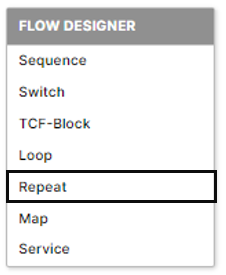
Right-click on the workspace.
Select "Repeat" from the context menu.
Repeat Statement Properties
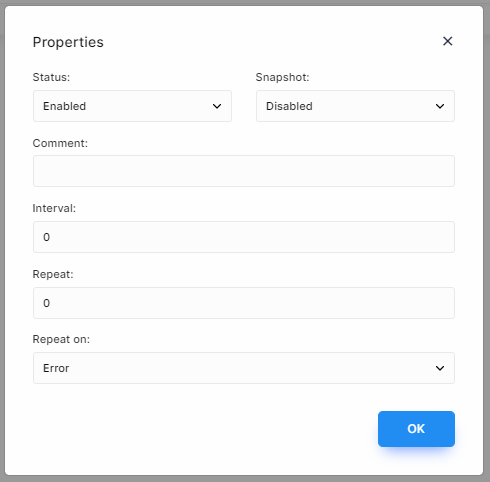
The repeat statement has the following main properties:
Status: Enable/disable the repeat block. By default, the status is enabled. If the status is set to disable, the subsequent steps will not execute when the API is invoked, whether through HTTP or another service.
Snapshot: Create a runtime data state snapshot for the repeat statement. By default, this option is disabled.
Comment: Add a comment to provide additional information or context for the repeat statement.
Interval: Specify the delay between each repeat in milliseconds. The interval value should be an integer.
Repeat: Specify the number of times the repeat function should be performed. The value must be an integer.
Repeat On: Determine when the repeat should be executed. There are two options:
Error: When the repeat-on option is set to "error", the repeat statement is executed upon the occurrence of an error. The delay and interval values of the repeat statement are not affected.
Success: When the repeat-on option is set to "success", the repeat statement is executed when the status of the repeat statement is enabled.
Note: The repeat statement provides a way to retry a specific action or set of actions multiple times with a delay between each iteration. It can be useful for scenarios where you need to handle intermittent errors or ensure successful execution of a particular task.